Budget Smart Plugs: Where They Help and Where They Risk
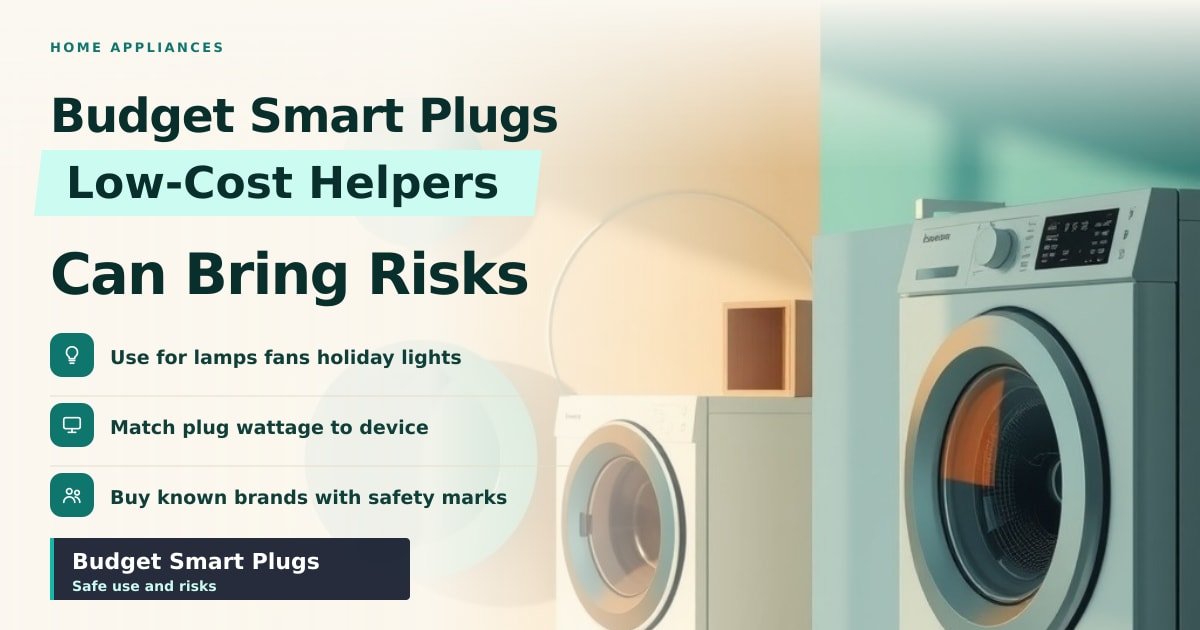
TL;DR: Budget smart plugs are worth it for lamps, fans and holiday lights you want on a timer, especially if you stay under the plug’s wattage and buy from a known brand. Skip them for heaters, irons and other high-power devices unless the plug is rated for that load. The main risks are cheap unsafe hardware, weak app security and gadgets that stop working when Wi-Fi drops.
It’s 10 p.m., you’re already in bed, and the living-room lamp is still on. A $10 smart plug can fix that with a tap on your phone. The same plug can also melt if you plug a space heater into it.
A smart plug is a small adapter that sits between the wall socket and your device. It connects to your Wi-Fi (the same wireless network your phone uses) so you can turn the device on or off from an app or with Alexa or Google.
Where budget smart plugs help most
Most budget plugs cost $10–$25 each, or about $20–$40 for a two-pack. They don’t make a dumb lamp “smart” in every way. They just switch power on and off. That’s enough for simple jobs.
- Lamps: set a sunset-on, 11 p.m.-off schedule. You get automatic lighting without buying new bulbs.
- Fans and small appliances: turn off a bedroom fan after two hours. Check the plug’s wattage first.
- Holiday lights: one plug beats crawling under the tree every night.
- Coffee makers and kettles: only if they have a physical switch that stays on. Don’t use a plug to start a machine that needs you to press a button after power returns.
Where they add risk
The biggest danger is heat. A smart plug has metal contacts and a relay inside. A relay is a small electrical switch. If you run a 1,500-watt space heater through an $8 plug rated for 10 amps, those parts can overheat. In the US, a 15-amp plug at 120 volts tops out near 1,800 watts. In India, a 10-amp plug at 230 volts tops out near 2,300 watts. Check the label on both the plug and the device. Leave headroom; don’t run a 1,500-watt heater on a 1,500-watt plug. (Use a heater’s own thermostat and a wall outlet instead.)
Cheap no-name models are the second risk. A plug that costs $6 on a marketplace may lack a safety mark from a recognized lab. In the US, look for UL or ETL. In India, look for BIS. In the UK, look for a recognized mark such as the BSI Kitemark. A CE logo alone doesn’t prove much for a cheap import.
The third risk is security. A smart plug is a tiny computer with firmware (the software inside it). If the brand never updates that software, bugs can stay open. Use a strong, unique password for the plug’s app. Turn on two-factor authentication if the app offers it. Put the plug on a guest Wi-Fi network if your router has one.
How to buy budget smart plugs safely
Stick to known budget brands. TP-Link Kasa and Amazon Smart Plug are common in the US; Wipro and Syska sell in India. Prices usually sit between $10 and $25, or roughly ₹700–₹1,800. You don’t need a hub for most Wi-Fi plugs. A hub is a separate box that some smart home gadgets require. Avoid plugs that need a hub unless you already own one.
Check three things before you pay:
- Wattage: the plug’s rating must be higher than the device’s maximum. A 2,000-watt plug is fine for a 1,500-watt heater; a 1,000-watt plug is not.
- Safety mark: UL/ETL, BIS, or a recognized local mark. Skip unknown brands with no support page.
- Wi-Fi band: many budget plugs only work on 2.4GHz Wi-Fi, not 5GHz. That’s the slower, longer-range network in your router. Check before you buy.
Also: don’t plug a smart plug into another smart plug or an extension cord that’s already near its limit. Don’t hide it under a rug. And update the firmware when the app nags you.
Key Takeaways
- Use budget smart plugs for lamps, fans and holiday lights, not heaters or irons.
- Match the plug’s wattage to the device and leave extra headroom.
- Buy from a known brand with a real safety mark and app updates.
- A smart plug can save you a walk to the switch, but it won’t cut your power bill much on its own.
Frequently Asked Questions
Are cheap smart plugs safe?
They can be, if they carry a recognized safety mark and match the device’s wattage. The risk rises with no-name plugs and high-power devices like space heaters.
Can a smart plug lower my electricity bill?
Only a little, and only if it stops wasted power. Turning off a lamp or fan you’d otherwise leave on helps. A plug won’t fix an old fridge or change how much power a device uses.
Do smart plugs work without Wi-Fi?
Some keep their schedules running offline, but most app controls and voice commands need Wi-Fi. If your internet goes down, the plug may still work as a manual switch or keep the last schedule.
Sources
- NFPA, “Electrical safety in the home” — https://www.nfpa.org/education-and-research/home-fire-safety/electrical
- FTC, “How to Secure Your Internet of Things Device” — https://consumer.ftc.gov/articles/how-secure-your-internet-things-iot-device
How did this story feel?
Be the first to react
AI assistance. This article was researched and drafted with AI tools and reviewed by our editorial team before publication. We link to sources at the end of every article so you can verify the claims. If you spot an error, please let us know.
Recommended gear
Related picks for this guide

Dreame L10s Ultra
5300Pa · self-empty · mop wash
Best robot vacuumView on Amazon →
Levoit Core 300S
HEPA H13 · 219 ft² · 24dB
Quiet pickView on Amazon →
Philips Airfryer XXL
7.3L · Rapid Air · 2225W
Best for familiesView on Amazon →Affiliate links: we may earn a commission at no extra cost to you.
Weekly tech brief
The tech stories worth your time, every Sunday.
One short email with the most useful guides and gadget picks from the week. No spam, unsubscribe anytime.
Written by
TechPulse TeamThe TechPulse editorial team publishes clear, practical technology guides. Every article is original and written to be understood — not just skimmed. Read our editorial policy.
Comments (0)
No comments yet — start the conversation!
Keep reading
Amazon Kitchen Gadgets Under $25: What's Worth It
Amazon kitchen gadgets under $25 are trending. Here's how to tell a real deal from a tiny accessory and a review trap.
Air Conditioner Sizing: Why Bigger Isn't Better
An oversized AC cools fast but leaves your room cold and clammy. Here's how to size one properly, with the adjustments most people forget.
Kitchen Gadgets You’ll Actually Use: A Buyer’s Reality Check
Trending lists promise kitchen gadgets you’ll actually use. Here’s the friction test that separates daily helpers from drawer clutter.