Can Screen Time Mindfulness Work? Stanford Asks
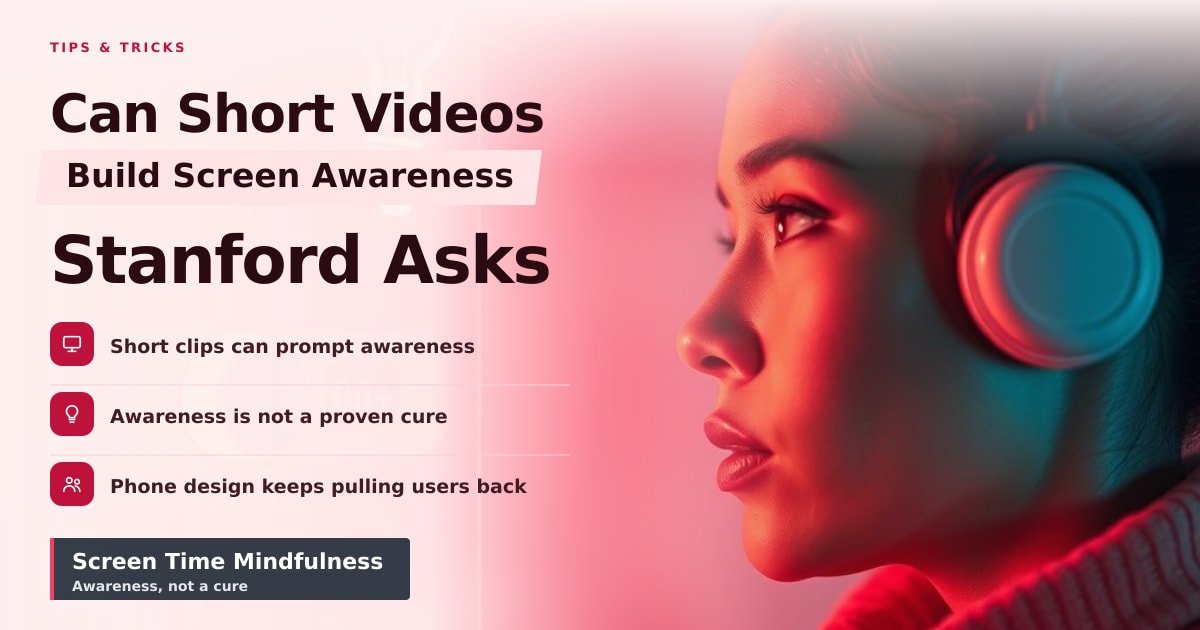
TL;DR: Short animated videos probably won’t fix your phone habits on their own, but they might make you notice them. Stanford Medicine is asking whether quick visual prompts can build screen time mindfulness before you unlock an app on autopilot. Treat awareness as a first step, not a cure.
Your phone can log every unlock without telling you why you picked it up. That gap is the heart of Stanford Medicine’s headline: can short, animated videos help you build screen time mindfulness? The story is framed as a question, not a proven fix. That matters, because most phone-habit tools have measured time, not attention.
What Stanford Medicine is actually asking
The Stanford Medicine item is not a product launch or a finished answer. It points to a simple idea: use short animated clips to make you pause and think about how you use your phone. Screen mindfulness means paying attention to when, why and how long you pick up your device, instead of unlocking it out of habit.
The appeal is obvious. A timer tells you four hours passed. It does not tell you those hours were stress-scrolling in bed, checking work email at lunch, or opening Instagram while waiting for a bus. A brief visual prompt can ask a better question: what are you about to do, and why now?
Why screen time mindfulness is hard
Most people don’t need another dashboard. They need a pause between the urge and the unlock. Screen-time trackers have existed for years, and they often fail for a boring reason: they rely on willpower. You see the number, feel bad for a minute, then tap the same apps again.
Short videos can help because they are quick and visual. A 20-second clip is easier to sit through than a settings menu full of charts. But a clip can also become another thing to swipe past. If the message arrives once and disappears, it may raise awareness without changing behavior.
The bigger picture: awareness vs. design
Phone apps are built to pull you back. Notifications, streaks, autoplay and infinite feeds all reduce the time between “I’m bored” and “I’m scrolling.” A mindfulness video asks you to resist that pull. The app design, meanwhile, keeps making the pull stronger.
That’s why this idea is useful but limited. Awareness is cheap to add. Changing a habit is harder. A short video can be a helpful speed bump, especially for students or anyone who checks their phone without thinking. It is not a substitute for turning off noisy alerts, setting app limits, or deleting the one app that eats your evening.
What to watch next
Look for evidence that goes beyond a nice reaction to a video. The useful questions are simple: did people actually use their phones less? Did they feel less anxious? Did the change last a week, or only an afternoon? Stanford Medicine’s headline is a prompt for that kind of testing.
Also watch who pays for these tools. If a social app offers “mindfulness” clips while keeping the same endless feed, ask what changed. Awareness should help you make a choice. It should not become a badge that lets the product off the hook.
Key Takeaways
- Stanford Medicine is asking whether short animated videos can make you more aware of phone use.
- Screen time mindfulness means noticing why you pick up your phone, not just how long you stay.
- Quick prompts can help, but they don’t fix apps designed to keep you scrolling.
- Watch for studies that measure real behavior change over time, not just good intentions.
Frequently Asked Questions
What is screen mindfulness?
Screen mindfulness means paying attention to your phone habits as they happen. You notice the urge to unlock, the reason you opened an app, and how you feel afterward.
Can short videos reduce phone use?
They might help as a reminder, but they are not a proven cure. The bigger effect comes from combining awareness with changes like turning off alerts and setting app limits.
Does screen time tracking work?
It can help, but numbers alone often don’t change behavior. Tracking works better when it answers “why” you reach for your phone, not just “how much” time you spent.
Sources
How did this story feel?
Be the first to react
AI assistance. This article was researched and drafted with AI tools and reviewed by our editorial team before publication. We link to sources at the end of every article so you can verify the claims. If you spot an error, please let us know.
Recommended gear
Popular tech picks

Samsung Galaxy S25 Ultra
6.9" AMOLED · 200MP · 5000mAh
Editor's pickView on Amazon →
Apple MacBook Air 13-inch (M4)
M4 · 16GB · 13.6" Liquid Retina
Editor's pickView on Amazon →
Sony WH-1000XM5
Over-ear ANC · 30h battery
Best headphonesView on Amazon →Affiliate links: we may earn a commission at no extra cost to you.
More on #screen time
Weekly tech brief
The tech stories worth your time, every Sunday.
One short email with the most useful guides and gadget picks from the week. No spam, unsubscribe anytime.
Written by
TechPulse TeamThe TechPulse editorial team publishes clear, practical technology guides. Every article is original and written to be understood — not just skimmed. Read our editorial policy.
Comments (0)
No comments yet — start the conversation!
Keep reading
Charley Hull's Phone Detox Is a Nudge for Your Own Screen Time
Golfer Charley Hull is ditching her smartphone for the offseason. Here's what her break says about screen habits, and how to try a smaller version yourself.
Why Kids Need Smartphone Skills Before a First Phone
A holiday-season report argues kids should learn how a phone works before they own one. The details are thin, but the money and privacy logic holds up.
Instagram Tricks for Creators: The Complete Checklist
A practical checklist of Instagram tricks creators actually use, from bio search words to the settings that keep spam off your posts.