Smart Home Gadgets for Families: What to Buy First
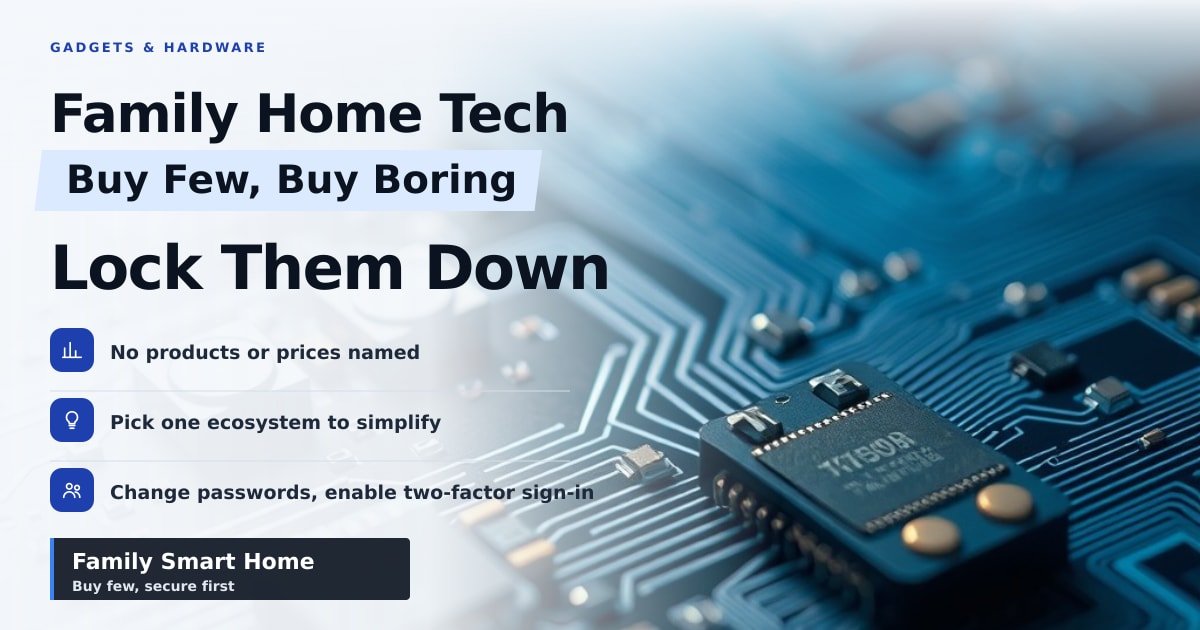
TL;DR: A local TV segment on home gadgets for families is a checklist, not a shopping list. Nothing new was launched here — but if you're buying smart home gadgets for a family, buy few, buy boring, and lock them down first.
WAVY.com, a TV station serving Hampton Roads, Virginia, ran a short segment titled "HRS: Home gadgets for the family." That headline is the story — a local lifestyle slot, not a product unveiling. So there's no price, no spec sheet, and no release date to pick apart. What's worth your time is the bigger question the segment points at: is any of this home tech worth putting in a house with kids and a busy schedule?
What's actually happening
The category is loosely defined, and that's normal. "Family home gadgets" usually means a video doorbell, a smart plug or two, a baby monitor, a kids' smartwatch, and maybe a robot vacuum. None of these are exotic. Most cost less than a family takeaway night.
What's missing is detail. There's no named product, no price, no list of devices in the segment summary. That matters, because home tech reviews live or die on specifics: how long the battery lasts, whether the app still gets updates in two years, whether the video feed is encrypted. Treat any TV roundup as a starting point, not a verdict.
Why it matters: your money and your family's privacy
A video doorbell that streams to your phone is a camera pointed at your street. A baby monitor is a microphone in a child's room. Both send video through a company's servers — the "cloud," meaning someone else's computers, not your hallway cupboard.
That's the trade you're making. You get convenience: a notification when a parcel arrives, a check-in on a sleeping baby from the kitchen. You take on a new password, a new app, and a new company that has to keep its software patched. Weak passwords on cheap cameras have caused real, well-documented problems, which is why security agencies keep telling people to change default logins on day one.
Here's the plain test for any gadget: does anyone in the household actually use it after week two? A smart plug that turns the lamp on at 6pm is quietly useful for years. A smart fridge camera is a novelty with a support lifecycle you'll outlive.
The bigger picture: homes went networked by accident
Two things made this possible. Cheap Wi-Fi chips went into everything, and voice assistants made controlling it feel normal instead of nerdy. A decade ago, "smart home" meant rewiring a house. Now it means spending $30 and downloading an app.
The catch is what the industry calls fragmentation. Each brand wants its own app, so a family with four devices ends up with four logins. The fix in progress is Matter, a shared standard that lets gadgets from different brands talk to each other without a translator. It's improving, but not every cheap gadget supports it yet.
So the sensible move is to pick one ecosystem — Apple, Google or Amazon — and stay inside it. You'll save yourself a password reset at 11pm.
What to watch next
Prices on basic sensors and plugs keep drifting down, and privacy labels on gadget boxes are slowly getting clearer. Neither trend is dramatic, which is fine. Family tech doesn't need drama.
Before you add anything, do two boring things: set a unique password per device, and turn on two-factor sign-in, which asks for a second code from your phone. It takes five minutes per gadget, and it's the difference between a helpful camera and an open window.
Key Takeaways
- The WAVY segment is a local TV roundup, not a new product launch — no specs or prices exist yet.
- Family gadgets pay off in small daily wins: scheduled lamps, parcel alerts, a monitored nursery.
- Every camera and microphone you add is a password and an app you must manage.
- Pick one ecosystem, avoid gadgets your family won't touch after week two.
Frequently Asked Questions
What are the best home gadgets for a family to start with?
Start with a smart plug and a video doorbell. Both under $60, both easy to remove if you dislike them.
Are smart home cameras safe for kids' rooms?
They can be, if you change the default password, enable two-factor sign-in, and keep the app updated.
Do smart plugs need Wi-Fi?
Yes, they connect to your home Wi-Fi so you can control them from your phone, though schedules often still run if the internet drops.
Sources
- WAVY.com — the original segment on home gadgets for the family.
- FTC Consumer Advice — plain-language guidance on smart device privacy and security.
- CISA Secure Our World — official advice on passwords and two-factor sign-in.
How did this story feel?
Be the first to react
AI assistance. This article was researched and drafted with AI tools and reviewed by our editorial team before publication. We link to sources at the end of every article so you can verify the claims. If you spot an error, please let us know.
Recommended gear
Related picks for this guide

Sony WH-1000XM5
Over-ear ANC · 30h battery
Best headphonesView on Amazon →
Anker 737 Power Bank
24,000mAh · 140W USB-C
Best travel pickView on Amazon →
Nintendo Switch 2
7.9" 1080p · 4K docked · 256GB
NewView on Amazon →Affiliate links: we may earn a commission at no extra cost to you.
More on #smart home
Weekly tech brief
The tech stories worth your time, every Sunday.
One short email with the most useful guides and gadget picks from the week. No spam, unsubscribe anytime.
Written by
TechPulse TeamThe TechPulse editorial team publishes clear, practical technology guides. Every article is original and written to be understood — not just skimmed. Read our editorial policy.
Comments (0)
No comments yet — start the conversation!
Keep reading
Anker Deals in November 2026: What's Worth Buying
Anker's November sale is mostly about small accessories that fix real daily problems. Here's where the value sits — and what to check before checkout.

Best Buy AI Gadgets Push a Stronger Sales Outlook
Best Buy's outlook improved on the back of AI gadgets and premium devices. Here's what the shift means for your next upgrade.
Cheap Bluetooth Gadgets: 7 Picks Tested by ZDNET
ZDNET's tested list of seven cheap Bluetooth gadgets says a lot about how good budget wireless gear has become. Here's what to check before you buy.