How Much RAM Do You Need in 2026?
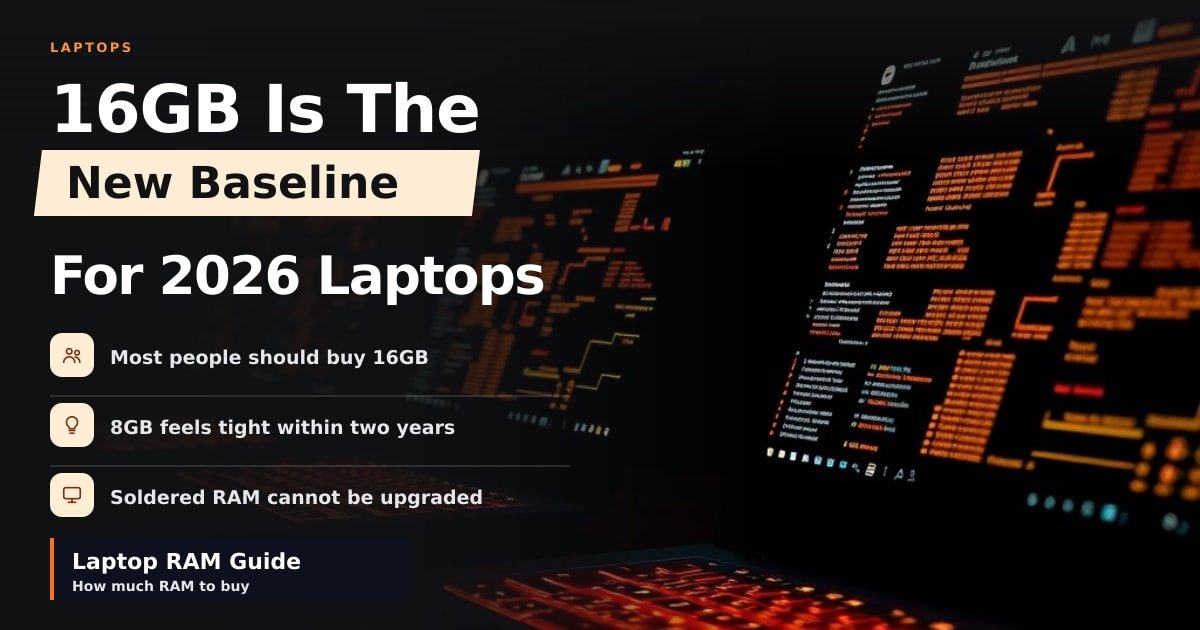
TL;DR: Buy 16GB. For almost everyone in 2026, 16GB of RAM is the sensible floor and it keeps a laptop comfortable for four or five years. Drop to 8GB only if you truly live in one browser window, and step up to 32GB only if you edit video, run virtual machines or work with huge files.
Fifteen browser tabs, a video call and a spreadsheet — that's the load that makes a brand-new 8GB laptop stutter in 2026. The cursor lags behind your typing. The fan spins up during a meeting. Nothing is broken. The machine just ran out of desk space.
What RAM actually does
Think of RAM as your desk and storage as the filing cabinet. Files live in the cabinet, but every app you open has to be spread out on the desk first. A bigger desk means more open at once, without shoving something back in a drawer.
When the desk fills up, Windows or macOS starts shuffling data to the drive, which is hundreds of times slower. That's the two-second freeze when you switch tabs and nothing happens.
How Much RAM Do I Need? The Four Options Compared
Most laptops are sold in four flavours. Here's what each one actually feels like day to day.
- 8GB — Fine for email, a few tabs and Netflix. Add a video call and 12 tabs and you'll feel it slow down. In 2026 this is a short-term machine.
- 16GB — The sweet spot. Thirty tabs, Slack, Spotify, a Zoom call and light photo editing, all at once, without drama. This is what most people should buy.
- 32GB — For people with a reason: 4K video editing, virtual machines (a whole computer running inside your computer), or giant spreadsheets and data files.
- 64GB and up — Specialised work. 3D rendering, serious software development, data science. If you need it, you already know.
Why 16GB became the starting line
Two things pushed it. Microsoft's Copilot+ PC standard — the badge on most new Windows laptops with on-device AI features — requires at least 16GB of RAM and a chip built for AI tasks. At the same time, Apple's base MacBook Air M4 ships with 16GB.
Memory prices also climbed in late 2025, as AI data centres bought up supply. Cheap 8GB machines are still on shelves, but the gap to 16GB has narrowed.
The upgrade trap
Here's the part that costs people money. Most thin laptops now use LPDDR5X memory soldered directly to the board. It's fast and gentle on battery, but you can't add more later.
So if you buy 8GB today, that's your ceiling for as long as you own the machine. Check the spec sheet before you pay. If it says "8GB soldered" and lists no memory slot, treat it as a three-year laptop, not a five-year one.
What this means for you
- Students and office workers: get 16GB. Don't pay extra for 32GB you won't use.
- Anyone buying a laptop to keep for five years: 16GB, and confirm it's soldered or upgradeable before you decide.
- Creators and developers: 32GB is worth the money. You'll feel the difference on every export and every build.
- Avoid: any 8GB laptop above roughly budget tier, no matter how good the screen looks.
Key Takeaways
- 16GB is the practical minimum for a laptop bought in 2026.
- 8GB works for light use only and will feel tight within two years.
- 32GB makes sense for video editing, virtual machines or heavy data work.
- Most modern laptops solder RAM down, so buy the amount you'll need later.
Frequently Asked Questions
Is 8GB RAM enough for a laptop in 2026?
For email, streaming and a handful of tabs, yes. For anything with video calls plus many tabs, no — you'll see slowdowns that no software update fixes.
Is 16GB RAM overkill for a student?
No. It's the safe buy. Students typically run a browser with dozens of tabs, a video call and a document editor at the same time.
Can I add more RAM to my laptop later?
Sometimes. Gaming and business laptops often have slots. Most thin and light models solder the memory down, so check the specs before you buy.
Sources
How did this story feel?
Be the first to react
AI assistance. This article was researched and drafted with AI tools and reviewed by our editorial team before publication. We link to sources at the end of every article so you can verify the claims. If you spot an error, please let us know.
Recommended gear
Related picks for this guide
Apple MacBook Air 13-inch (M4)
M4 · 16GB · 13.6" Liquid Retina
Editor's pickView on Amazon →
ASUS Zenbook 14 OLED
Core Ultra 7 · 16GB · 3K OLED
Best displayView on Amazon →Affiliate links: we may earn a commission at no extra cost to you.
More on #laptop ram
Weekly tech brief
The tech stories worth your time, every Sunday.
One short email with the most useful guides and gadget picks from the week. No spam, unsubscribe anytime.
Written by
TechPulse TeamThe TechPulse editorial team publishes clear, practical technology guides. Every article is original and written to be understood — not just skimmed. Read our editorial policy.
Comments (0)
No comments yet — start the conversation!
Keep reading

How Much RAM Does a Laptop Need in 2026?
16GB is the new safe default for a laptop in 2026. Here's why 8GB now feels slow, when 32GB is worth paying for, and why you can't upgrade later.

How Much Laptop Storage Is Enough? NVMe Explained
512GB is the sweet spot for most laptops, 1TB if you keep games or video. Here's how the sizes compare in real life — and when NVMe is actually worth paying for.
How Much RAM Does a Laptop Really Need in 2026?
I edited a 4K video and 200 photos on 8GB and 16GB laptops. The difference was obvious — here's the RAM amount to buy in 2026.