
Smart Fridge Features That Actually Earn Their Keep
You're standing in the dairy aisle, phone in hand, wondering if your fridge at home actually needs to tell you the milk is about to expire. Fair question. Smart fridge features have been sold as the future of the kitchen for years, and some of them are genuinely useful. Others are just a tablet bolted to a door. Here's the split that matters.
The Smart Fridge Features That Actually Change Your Week
The useful smart fridge features fall into a few buckets: seeing what you have, remembering what you bought, and catching small problems before they become expensive ones. The rest is mostly garnish.
I've tested enough of these to know that a giant touchscreen won't make you a better cook. A camera that lets you check the fridge from the grocery store might. A door alert that pings your phone when a kid leaves the door open? That one earns its keep quietly, usually at 7:15 a.m. before school.
Here's a quick reality check on the features you'll see on showroom floors:
| Feature | Real-world use | Verdict |
|---|---|---|
| Internal camera | Check contents from your phone at the store | Useful if you shop without a list |
| Expiration tracking | Reminds you to use the yogurt before it grows fur | Useful, but only if you log items |
| Voice assistant | Add to grocery list with messy hands | Nice convenience, not a must |
| Door-open alert | Stops cold air from running all afternoon | Underrated |
| Giant touchscreen | Family calendar, recipes, photos | Skip unless your family will actually use it |
Internal cameras: the feature I'd pay for first
Samsung's Family Hub has been the most visible example, with its AI Vision inside camera. LG's InstaView ThinQ line offers similar "check inside without opening the door" ideas, though the implementations vary by model. The pitch is simple: you're at Costco, you open the app, and you see whether you need eggs.
That's not a gimmick. It's a real time-saver if you're the kind of person who forgets what's in the crisper drawer. (I am that person.) The catch is camera quality and lighting. A dark fridge with a half-empty shelf can look like a blurry crime scene. Before you buy, look for a model with good interior lighting and a camera that can pan or see multiple shelves.
Expiration tracking: helpful, with a reality check
Smart fridge expiration tracking sounds like magic. In practice, it's a chore unless the fridge does the heavy lifting. Some Samsung models let you add food and expiry dates through the Family Hub screen or app. Higher-end models are getting better at suggesting items, but you'll still need to confirm what the fridge thinks it sees.
My advice: use expiration tracking for the stuff you actually waste. Milk, berries, leftovers, that tub of hummus you buy with good intentions. Don't try to log every condiment. You'll quit by week two.
Voice Assistants and Family Calendars: The Quiet Win
"Alexa, add eggs to the grocery list." You say it while your hands are covered in flour, and it actually works. That's the best case for a smart fridge with Alexa or Bixby built in. GE Profile smart fridges with Keurig brewing have leaned into this, and Samsung's Family Hub has its own voice-assistant setup. LG's ThinQ app and voice features cover similar ground.
The family calendar is a secondary win. If your fridge is the place where everyone already drops their bags and checks their day, a shared calendar on the door makes sense. If everyone in your house lives on their phone, the calendar becomes expensive wallpaper.
Here's where I'd push back: don't buy a fridge because it has a screen. Buy it because the cooling is good, the layout fits your kitchen, and the smart features you'll actually use are included. The screen is the least important part.
Energy Monitoring and Door Alerts: The Underrated Stuff
These are the smart refrigerator benefits that don't get demo space. Energy monitoring in apps like LG ThinQ can show you how hard the fridge is working. A sudden spike won't diagnose a problem, but it can nudge you to check the door seal or the condenser coils.
Door-open alerts are even simpler. If the door is left ajar, you get a phone notification. That's it. For a house with kids, it's worth more than a recipe suggestion ever will be. I'd take a door alert over a fridge that tells me a joke any day.
What I'd Skip (and What I'd Pay For)
Skip the giant touchscreen if it's the main reason for the price jump. Skip recipe suggestions that require you to manually enter every ingredient. Skip any "smart" feature that makes you use a worse version of your phone.
Pay for a good internal camera, a reliable door alert, and a fridge that fits your kitchen. If voice control and a family calendar come along for the ride, great. Just don't let the screen sell you a fridge with a mediocre layout.
Key Takeaways
- Internal cameras are the most immediately useful smart fridge feature, especially if you shop without a list.
- Expiration tracking works only if you log items consistently; use it for high-waste foods, not every jar.
- Door-open alerts and energy monitoring are quiet, practical features that earn their keep.
- Voice assistants and family calendars are nice if your household will actually use them.
- Don't pay a premium for a touchscreen alone; cooling, layout, and reliability come first.
Frequently Asked Questions
Are smart fridges worth it in 2026?
They can be, but only if you'll use the features. A smart fridge with a good camera, door alerts, and a layout you like can save you grocery runs and minor headaches. If you just want cold food and a lower price, a well-reviewed standard fridge is the smarter buy.
Do smart fridges actually save money?
Not directly. They won't slash your electricity bill by themselves. Energy monitoring can help you spot a problem, and door alerts can stop cold air from escaping, but the savings are small and indirect. The bigger financial win is buying a reliable fridge and keeping it maintained.
What is the most useful smart fridge feature?
An internal camera you can check from your phone. It solves a real, recurring problem: not knowing what you have when you're at the store. Expiration tracking and door alerts are close behind, but the camera is the one I'd miss most.
How did this story feel?
Be the first to react
Written by
TechPulse Team
The TechPulse editorial team publishes clear, practical technology guides. Every article is original and written to be understood — not just skimmed.
Comments (0)
No comments yet — start the conversation!
Keep reading
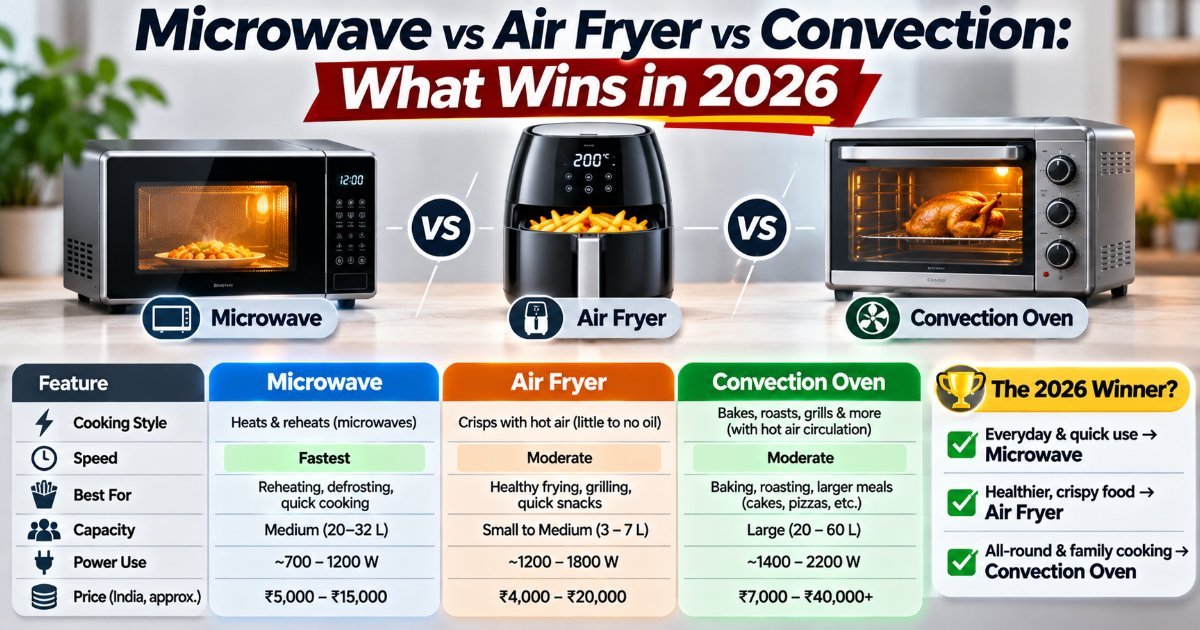
Microwave vs Air Fryer vs Convection: What Wins in 2026
Three appliances, one countertop, and a lot of overlap. Here's what each one genuinely does best in 2026 — and the combo you should probably skip.

Appliance Software Updates: Why They Matter Now
Your washing machine has firmware. Your oven has a network card. Here's how to keep appliance software updates from becoming a weekend project.

Appliance Lifespan: How Long Stuff Actually Lasts
Your grandmother's refrigerator ran for 30 years. Your fiveyearold washer just quit, and the repair quote is $700. What changed? Modern appliance lifespan is…