Web Security Headers Every Site Should Set

TL;DR: Security headers are short instructions your server sends with every page, telling the browser what to block. Five of them take about 20 minutes to add and shut out whole families of common attacks. You don't need to rewrite your site to use them.
Open securityheaders.com, paste in your own address, and plenty of small-business sites come back with a D or an F. Nothing looks broken. Pages load, forms work, Google finds you. What's missing is a few lines of text that tell the browser how to behave when someone tries something clever.
Those lines are web security headers, and most sites never set them. (Mine didn't, until a client asked why their score beat mine.)
What a security header actually is
When your server sends a page, it also sends a small set of notes called HTTP headers. Think of the handling labels on a parcel: this side up, keep dry, do not open. Your browser reads the labels before it reads the page.
A security header is one of those labels saying "don't run scripts from strangers" or "never load this site over plain HTTP". They don't fix bugs in your code. They limit the damage when a bug gets found.
Five headers that block most real attacks
Set these and you've covered the common cases:
- Strict-Transport-Security (HSTS). Tells the browser to use only the encrypted HTTPS version of your site, for a year. Without it, someone on café Wi-Fi can quietly drop a visitor back to plain HTTP and read the traffic.
- Content-Security-Policy (CSP). A guest list for scripts. Anything not on the list doesn't run. This is the header that stops the classic attack where a comment box gets filled with code that steals logins.
- X-Content-Type-Options: nosniff. Stops the browser guessing at file types. An uploaded image can't be treated as a script just because it looks like one.
- Referrer-Policy: strict-origin-when-cross-origin. Controls how much of your page address leaks to the sites people click through to. Keep it tight and private URLs stay private.
- X-Frame-Options: DENY. Blocks other sites from loading your page in an invisible frame and putting their own buttons on top. That trick is called clickjacking, and it works because the visitor thinks they're clicking on you.
How to add web security headers in 20 minutes
If you run WordPress, Cloudflare, Netlify or Vercel, there's a setting or a config file for this. On plain Apache or Nginx you add the lines yourself:
Strict-Transport-Security: max-age=31536000; includeSubDomains
Content-Security-Policy: default-src 'self'
X-Content-Type-Options: nosniff
Referrer-Policy: strict-origin-when-cross-origin
X-Frame-Options: DENY
Start with the four easy ones. CSP is the exception: switch it on in report-only mode first, watch the browser console for a week, then enforce it. A strict policy will break Google Analytics, ad scripts and some web fonts until you list them by name.
What this means for your site
- Re-scan at securityheaders.com after each change. Aim for an A, not a perfect score.
- If you use a page builder or a booking widget, test the forms after turning on CSP. A broken checkout costs more than the attack you're preventing.
- Apply headers to the whole domain, not just the homepage. Old staging sites and subdomains get scanned too.
Key Takeaways
- Security headers are notes your server sends so the browser can block bad behaviour.
- Five headers cover most of the risk, and four of them are low-risk to switch on.
- Turn on CSP in report-only mode first, then tighten it once your scripts are listed.
- Scan your site regularly; headers drift when you change hosts or add plugins.
Frequently Asked Questions
What are security headers in simple terms?
They're extra instructions attached to every page your server sends, like handling labels on a parcel. The browser reads them and refuses anything that breaks the rules.
Do security headers slow down my site?
Barely. They add a few bytes to each response. A strict CSP can add a tiny delay if you use very long script lists, which most small sites don't.
Will Content-Security-Policy break my site?
It can, which is why you test it in report-only mode first. That logs what would have been blocked without blocking anything.
Sources
How did this story feel?
Be the first to react
AI assistance. This article was researched and drafted with AI tools and reviewed by our editorial team before publication. We link to sources at the end of every article so you can verify the claims. If you spot an error, please let us know.
Recommended gear
Popular tech picks
Samsung Galaxy S25 Ultra
6.9" AMOLED · 200MP · 5000mAh
Editor's pickView on Amazon →
Apple MacBook Air 13-inch (M4)
M4 · 16GB · 13.6" Liquid Retina
Editor's pickView on Amazon →
Sony WH-1000XM5
Over-ear ANC · 30h battery
Best headphonesView on Amazon →Affiliate links: we may earn a commission at no extra cost to you.
More on #web security
Weekly tech brief
The tech stories worth your time, every Sunday.
One short email with the most useful guides and gadget picks from the week. No spam, unsubscribe anytime.
Written by
TechPulse TeamThe TechPulse editorial team publishes clear, practical technology guides. Every article is original and written to be understood — not just skimmed. Read our editorial policy.
Comments (0)
No comments yet — start the conversation!
Keep reading
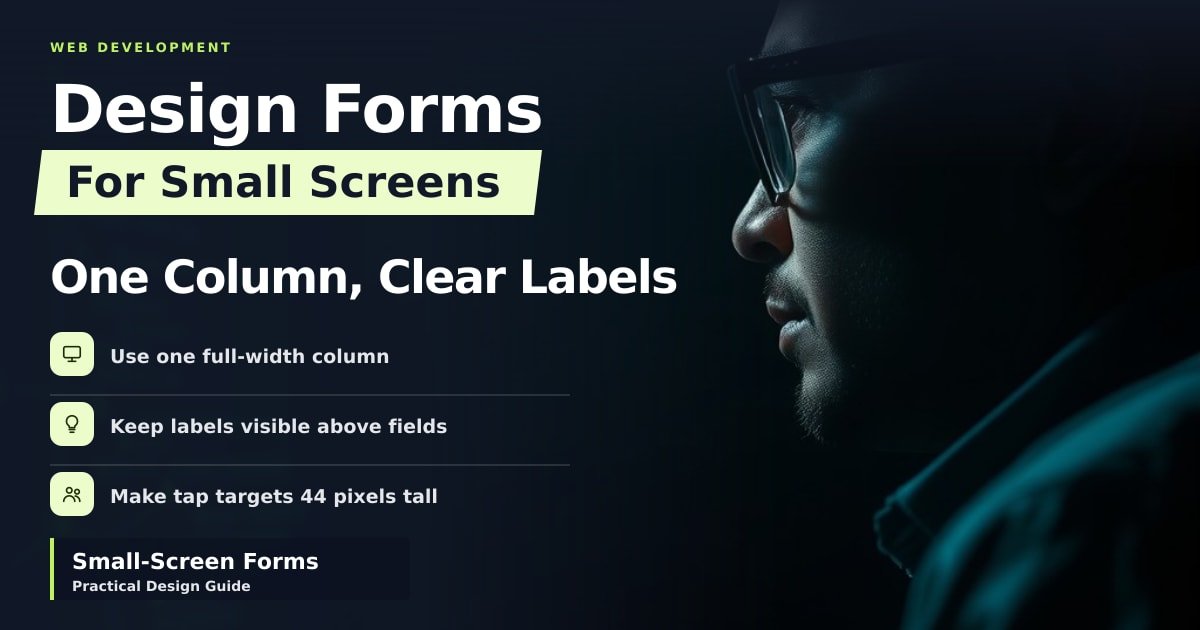
How to Design Forms That Work on Small Screens
Big buttons, one column and labels that don't vanish. A free, practical guide to building forms people can actually fill in on a phone.

How to Debug a Slow Page With Browser Performance Tools
A slow page usually has one big culprit, not fifty small ones. Here's how to read the timeline and fix what users actually feel.
CSS Grid vs Flexbox: When to Use Which
A plain-English guide to CSS grid vs flexbox, with shelf and calendar analogies. Learn when each layout tool saves you time and when to mix them.