
Night Mode Photography: How It Really Works
You're standing on a dark street, framing a lit shopfront. You press the shutter and then you wait. One one-thousand. Two one-thousand. Three. The photo that lands is brighter than the scene you were looking at — cleaner, sharper, oddly perfect. What happens in those three seconds is the most impressive trick your phone camera pulls off.
Short version: night mode photography is mostly software. The lens and sensor do their bit, but the magic is a stack of frames and a lot of math.
How night mode photography actually works
Start with the problem. Phone sensors are tiny. A 1/1.3-inch sensor on a Galaxy S24 Ultra sounds big until you put it next to a full-frame camera. Small pixels catch few photons, and few photons means noise and blur. Physics doesn't negotiate.
So the phone cheats. It shoots a burst of frames — anywhere from a handful to thirty — in the time it takes you to breathe out. Then it does four things:
- Bracketing. Some frames are exposed bright to drag detail out of the shadows. Others are exposed dark to stop streetlights from melting into white blobs.
- Alignment. The gyroscope, the optical stabilisation and software hand-tracking all work together to line the frames up. Your hand is shaking; the phone is quietly correcting for it.
- Stacking. Noise is random across frames, but the actual scene isn't. Average the frames and the noise cancels out while the detail survives. This is the whole game.
- Tone mapping. The stacked image looks flat and grey. Tone mapping lifts the shadows, pulls back the highlights and decides how punchy the colours should be. This step is where brands start to differ wildly.
Some phones go further and hold the shutter open longer per frame. On a tripod, Pixel phones will run an Astrophotography capture of around four minutes; iPhones cap out at 30 seconds in Night mode on a tripod. Handheld, you're usually looking at one to three seconds.
Why your night shots sometimes look fake
Because the phone is guessing, and sometimes it guesses wrong.
Aggressive noise reduction smears fine detail — faces go waxy, leaves turn into green mush. Shadows get lifted way past what your eyes actually saw, so a moody alley looks like an over-lit car park. Moving subjects are worse: night mode hates motion, so a dog's tail or a friend's hand becomes a translucent ghost.
(Here's my small plea: try turning night mode off occasionally. A little noise with real texture often beats a clean, plasticky image.)
On a Pixel, tap the moon icon to disable Night Sight. On an iPhone, tap the moon-and-timer icon and slide to zero. Samsung puts it in the scene optimiser settings.
Pixel vs iPhone vs Samsung: a night mode comparison
| Phone | Approach | Standout | Weak spot |
|---|---|---|---|
| Google Pixel | Long burst, heavy stacking, strong tone mapping | Consistency; best-in-class Astrophotography | Lifts shadows almost too eagerly |
| iPhone | Adaptive bracketing, restrained rendering | Natural colour; best night portraits | No dedicated night video mode |
| Samsung Galaxy | Large sensor, binning, punchy processing | Night zoom; social-ready brightness | Oversharpening and saturation |
| Vivo / Xiaomi / OnePlus | Big sensors do more of the work optically | Cleanest fine detail retention | Tuning varies; support and availability |
Google Pixel — Night Sight
Google got here first and still nails the point-and-shoot case. Night Sight on the Pixel 9 series (from ₹79,999 in India) holds a scene together better than almost anything at 1x, and Astrophotography mode is genuinely fun if you have a tripod and a clear sky. The processing leans bright — sometimes too bright — but it rarely fails outright.
Apple iPhone — Night mode
Apple's take is the most restrained of the big three. Exposure runs about 1–10 seconds handheld and up to 30 seconds on a tripod, and the rendering stays close to what you saw. Night mode portraits arrived properly with the iPhone 16 lineup (₹79,900 and up), and they're excellent. The gap: there's still no true night video mode, so low-light clips are good rather than special.
Samsung Galaxy — Nightography
Samsung throws sensor size and processing muscle at the problem. The S24 Ultra and S25 Ultra bin a 200MP main sensor down to something far more sensitive, and the result is bright, saturated and immediately shareable. Night zoom is where Samsung wins — no other mainstream phone pulls usable detail from a dim street sign at 5x quite as reliably. Just expect warmer colours and heavier sharpening than reality.
The Chinese flagships
Vivo's X100 Pro (launched at ₹89,999) uses a 1-inch main sensor. Xiaomi's 14 Ultra (₹99,999 at launch) adds a variable aperture that stops down from f/1.63 to f/4.0. OnePlus 13 sits lower on price but benefits from the same philosophy: give the software less work to do by collecting more light optically. Detail retention is often the cleanest of the bunch. The catch is tuning consistency and long-term software support.
Low light settings that actually matter
Most night mode problems are user problems. Fix these first:
- Brace the phone. A wall, a railing, your knee. Less shake means shorter exposures and less ghosting.
- Tap to focus, then drag the exposure slider down. Your night photos will stop looking like daylight shots.
- Use the main lens. Ultrawide sensors are smaller and much worse after dark.
- Don't digital-zoom. Use the telephoto lens or walk closer.
- Clean the lens. I'm serious. A fingerprint smudge is the single most common cause of ugly night photos.
Which phone is best for night photography?
Point-and-shoot reliability after dark: Pixel. Natural-looking results you won't need to edit: iPhone. Night zoom and punchy social output: Samsung Galaxy Ultra. Cleanest fine detail if you're willing to buy outside the big three: Vivo or Xiaomi.
One warning, though — don't buy a phone purely for its night mode. It's software, and software improves or stagnates on the manufacturer's schedule, not yours. Buy for the sensor and the lens, then hope the tuning team stays motivated.
Key Takeaways
- Night mode is multi-frame stacking plus tone mapping, not a magical sensor.
- Noise cancels out across frames; detail survives. That's the entire principle.
- Over-bright shadows and waxy skin are the tell-tale signs of bad processing.
- Google leads on consistency, Apple on natural colour, Samsung on night zoom.
- Bracing the phone and lowering exposure fixes most bad night shots.
- Bigger sensors (Vivo, Xiaomi) genuinely help, but tuning matters just as much.
Frequently Asked Questions
How does night mode work on a phone?
It fires a burst of frames at different exposures, aligns them using the gyroscope and stabilisation data, stacks them to cancel random noise, then tone maps the result to look brighter and more balanced. The whole process takes one to three seconds handheld, longer on a tripod.
Is night mode bad for photos?
Not bad — but it's not always right. It struggles with moving subjects, can smear fine detail, and often brightens a scene past what you actually saw. For moody shots or anything with motion, turning it off is sometimes the better call.
Which phone is best for night photography in 2026?
For consistent point-and-shoot results, Google's Pixel line is the safest bet. iPhone wins if you want natural colour, and Samsung's Ultra models are the pick for night zoom. Vivo and Xiaomi flagship phones retain the most fine detail if you can live with their software quirks.
How did this story feel?
Be the first to react
Written by
TechPulse Team
The TechPulse editorial team publishes clear, practical technology guides. Every article is original and written to be understood — not just skimmed.
Comments (0)
No comments yet — start the conversation!
Keep reading
Android vs iPhone Updates: Who Really Supports You Longer?
Apple quietly supports iPhones for years. Samsung and Google now promise seven. Here's what those update policies really mean for your next phone.
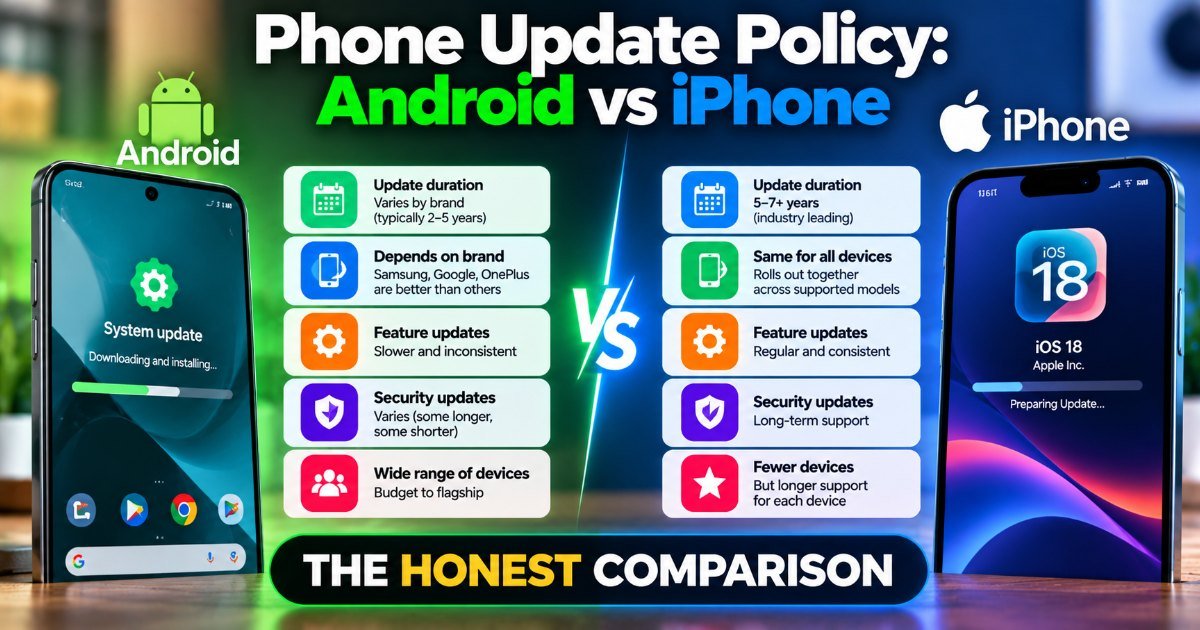
Phone Update Policy: Android vs iPhone — The Honest Comparison
How long does your phone actually get updates? Android vs iPhone compared honestly — update lengths, real-world testing, and what to expect before you buy.
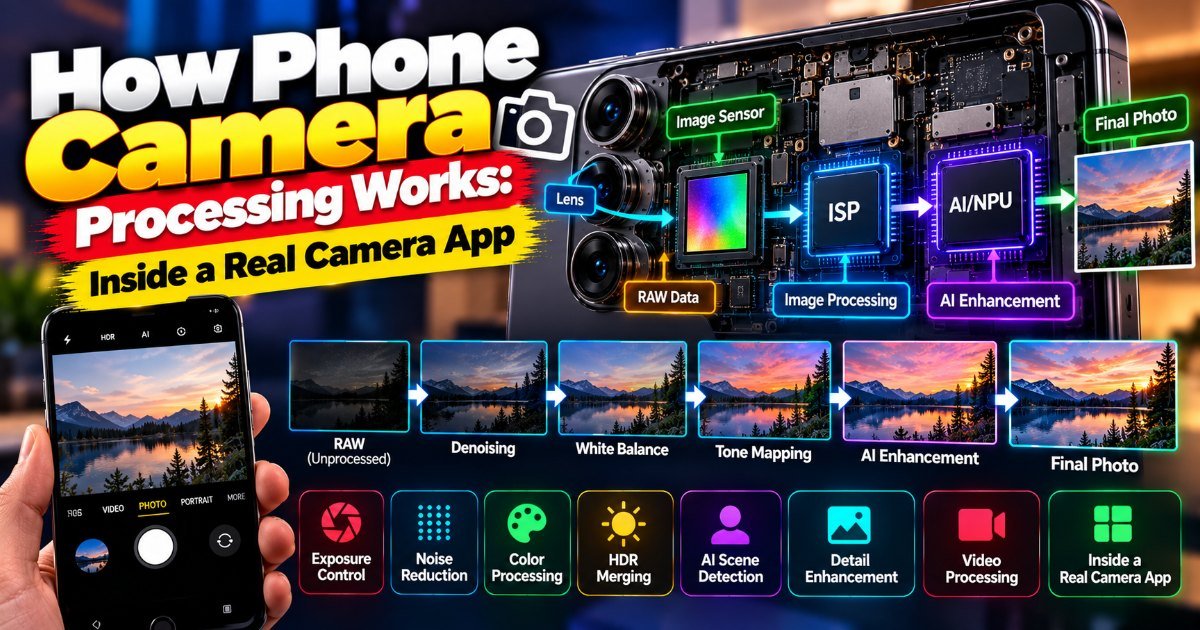
How Phone Camera Processing Works: Inside a Real Camera App
You're at a concert. The stage lights are a mess — deep blues, harsh reds, and the singer's face lost in shadow. You raise your phone, and the screen shows…