eSIM for Travel: A Dual SIM Setup That Cuts Roaming Bills
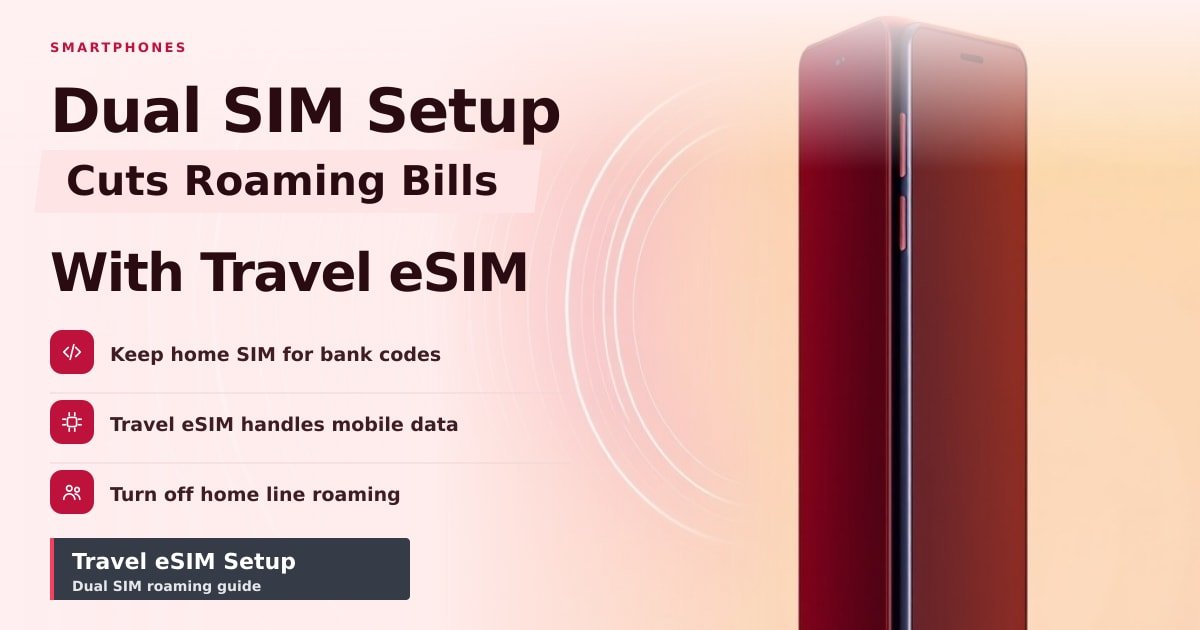
TL;DR: Keep your home SIM alive for bank codes and calls, then add a cheap travel eSIM as your data line. You'll pay a few dollars for a week of data instead of $10–$15 a day in roaming fees. The step that matters most: switch off data roaming on your home line before you fly.
Nine days in Spain and Portugal, four cities, 6.4GB of maps and photos — and my phone bill came home exactly $0 higher. My carrier's day pass would have cost more than my airport lunch, every single day. Here's the exact eSIM for travel setup I ran, including the two settings most people forget.
What dual SIM and eSIM actually mean
A dual SIM phone holds two phone lines at once. One is often a plastic nano-SIM you slide into a tray. The other is usually an eSIM — a tiny chip soldered inside the phone that you activate by downloading a plan instead of pushing in a card.
Both lines stay on. You choose which one handles data and which one handles calls. That's the whole trick: home number for the things that need it, travel line for everything else.
Most recent flagships can do this. iPhone XS and newer support eSIM, and iPhone 13 and later can run two eSIMs with no plastic SIM at all. On Android, Pixel 3 and newer and Samsung's Galaxy S20 and later handle eSIM, though carrier support varies by country. Look for "Add eSIM" or "Add cellular plan" in settings before you buy anything.
The eSIM for travel setup I ran for nine days
Here's what I did, in order:
- Bought a regional Europe data plan (10GB, valid 30 days) from an eSIM app a week before flying. It cost $19.
- Installed it at home on WiFi and left it switched off.
- Landed, turned the travel eSIM on, and set it as the default line for mobile data.
- Kept my home SIM on for calls and texts only.
Maps, WhatsApp, train tickets and photo backups all ran on the travel line. My home number still received bank one-time codes. Calls to my home number rang through and I ignored them (nobody needs a $3-a-minute chat about the weather).
One catch: data-only plans have no phone number. If you need to call a restaurant or a taxi, use WhatsApp or a plan that includes a number.
How to avoid roaming charges: the four settings that matter
Do these on the plane, before you land.
- Data roaming on your home line: off. This is the one that costs people money.
- Mobile data on your home line: off. Then set the travel eSIM as the default data line.
- Data switching: on, if your phone offers it. It lets the phone hop lines when one loses signal.
- WiFi calling on your home line: on, if your carrier supports it. Calls then run over the travel eSIM's data, and many carriers don't charge for those.
Two warnings. Receiving a text abroad costs money with some carriers, so check yours before you go. And a data-only eSIM can't receive SMS, so bank codes only arrive on your home line.
What this means for you before you book
- Check for eSIM support first. If your phone doesn't have it, you're stuck buying a physical travel SIM at the airport — slower and usually pricier.
- For a trip under four days, a carrier day pass can beat a travel data plan. Do the math.
- Buy and install the plan at home on WiFi. Airport WiFi is where installs go wrong.
- Leave your home line's data roaming permanently off, even on days you think you won't need it. Phones quietly switch lines when signal drops.
Key Takeaways
- Dual SIM lets you run a home line and a travel data line at the same time.
- An eSIM is a downloadable SIM you usually install before you fly.
- Turning off data roaming on your home line is the step that saves the money.
- Data-only plans have no number, so keep your home SIM for bank codes.
Frequently Asked Questions
Does eSIM work on any phone?
No. You need an eSIM-capable phone, usually a flagship from around 2019 onward. Check your settings for "Add eSIM" before you pay for a plan.
Can I keep my WhatsApp number while using a travel eSIM?
Yes. WhatsApp runs over the internet, so it keeps working on your existing number as long as the app stays installed.
Why is my phone using data on my home SIM abroad?
A settings update or data switching can flip your default line. Open your data settings, set the travel eSIM as default, and turn roaming off on the home line again.
Sources
- Apple Support — Using Dual SIM with an eSIM: https://support.apple.com/en-us/109317
- GSMA — eSIM explained: https://www.gsma.com/esim/
- European Commission — Roaming policy: https://digital-strategy.ec.europa.eu/en/policies/roaming
How did this story feel?
Be the first to react
AI assistance. This article was researched and drafted with AI tools and reviewed by our editorial team before publication. We link to sources at the end of every article so you can verify the claims. If you spot an error, please let us know.
Recommended gear
Related picks for this guide

Samsung Galaxy S25 Ultra
6.9" AMOLED · 200MP · 5000mAh
Editor's pickView on Amazon →
Google Pixel 9a
6.3" OLED · Tensor G4 · 7-year updates
Best valueView on Amazon →Affiliate links: we may earn a commission at no extra cost to you.
More on #esim
Weekly tech brief
The tech stories worth your time, every Sunday.
One short email with the most useful guides and gadget picks from the week. No spam, unsubscribe anytime.
Written by
TechPulse TeamThe TechPulse editorial team publishes clear, practical technology guides. Every article is original and written to be understood — not just skimmed. Read our editorial policy.
Comments (0)
No comments yet — start the conversation!
Keep reading
IP68 Rating: What It Really Protects Against
That IP68 label on your phone covers rain and the sink, not the pool. Here's what the test really checks, and why water damage still isn't covered.
Why Phones Overheat in 2026 — and When to Worry
Your phone getting warm is normal. Here's what changed in 2026, and the signs that heat has turned into a real problem.
How to Test a Used Phone Before You Pay for It
A used phone can look perfect and still be a money pit. Here's the 15-minute test — IMEI, battery, screen and cameras — that saves you the repair bill.